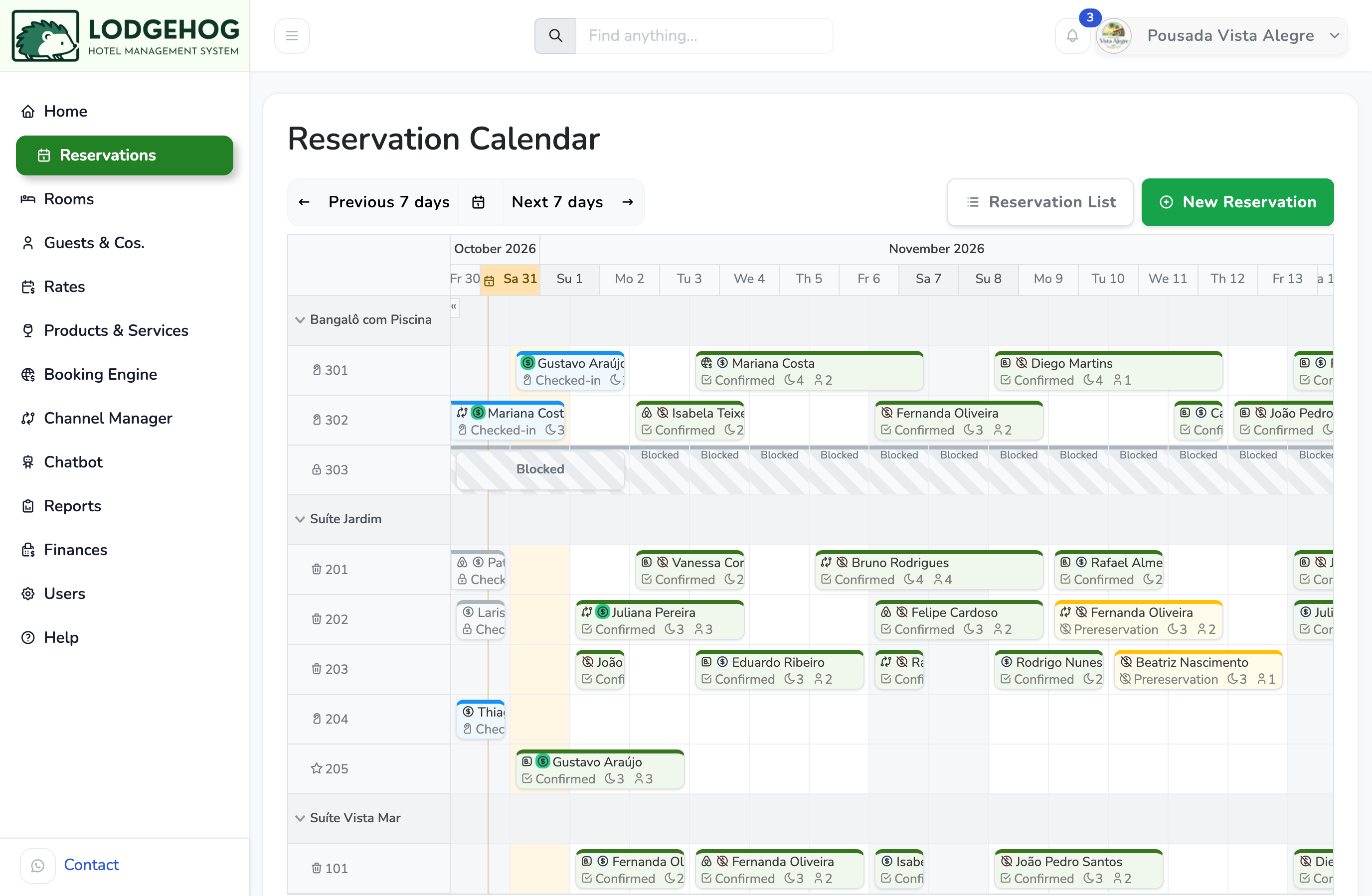
The occupancy grid, without the formulas: the reservation calendar in LodgeHog's free plan.
Download a free hotel reservation spreadsheet for Excel or Google Sheets, with a double-booking check and a monthly occupancy grid built in. Download the template (.xlsx), with no sign-up needed.
Then read on for the signs that your property has outgrown it, and how to move to free hotel software without retyping everything.
One row per booking, with room, dates, guests, rate, channel and status. Nights, total and balance are calculated for you.
A warning appears as soon as two bookings that are not cancelled overlap in the same room.
Pick a month and see which rooms are taken each night, plus the occupancy rate for every day.
List your rooms once and they appear in a drop-down on every booking, so nobody types "Room 1O1" by mistake.
Hotel reservation spreadsheet (.xlsx). It opens in Excel and LibreOffice. For Google Sheets, upload it to Google Drive and open it with Google Sheets. It comes with sample rooms and bookings, including one deliberate double booking, so you can see how everything works before you delete them.
A good spreadsheet is enough for a handful of rooms and one person taking bookings. These are the signs that it's starting to cost you more than it saves:
If two or more of these sound familiar, it's time to look at free hotel management software.
Every tab and column you rely on today has a direct replacement in LodgeHog's free plan, with no formulas to maintain and no limit on rooms or bookings.
Every room and every stay on one screen. LodgeHog warns you when a room is already taken for those dates.
Rooms grouped by category, or dorms and beds if you run a hostel.
Unlimited rate plans, with bulk editing for whole seasons at a time.
Every guest's details and stay history, found in seconds.
iPhone and Android apps to check the calendar away from the desk.
Hosted, updated and backed up for you. Nothing to install.
The occupancy grid, without the formulas: the reservation calendar in LodgeHog's free plan.
Still comparing options? Our guide on how to choose hotel management software covers what to check before you commit.
Moving bookings out of a spreadsheet doesn't mean giving up spreadsheets. They're still the best tool for analysis, forecasts and your accountant. On the paid plans:
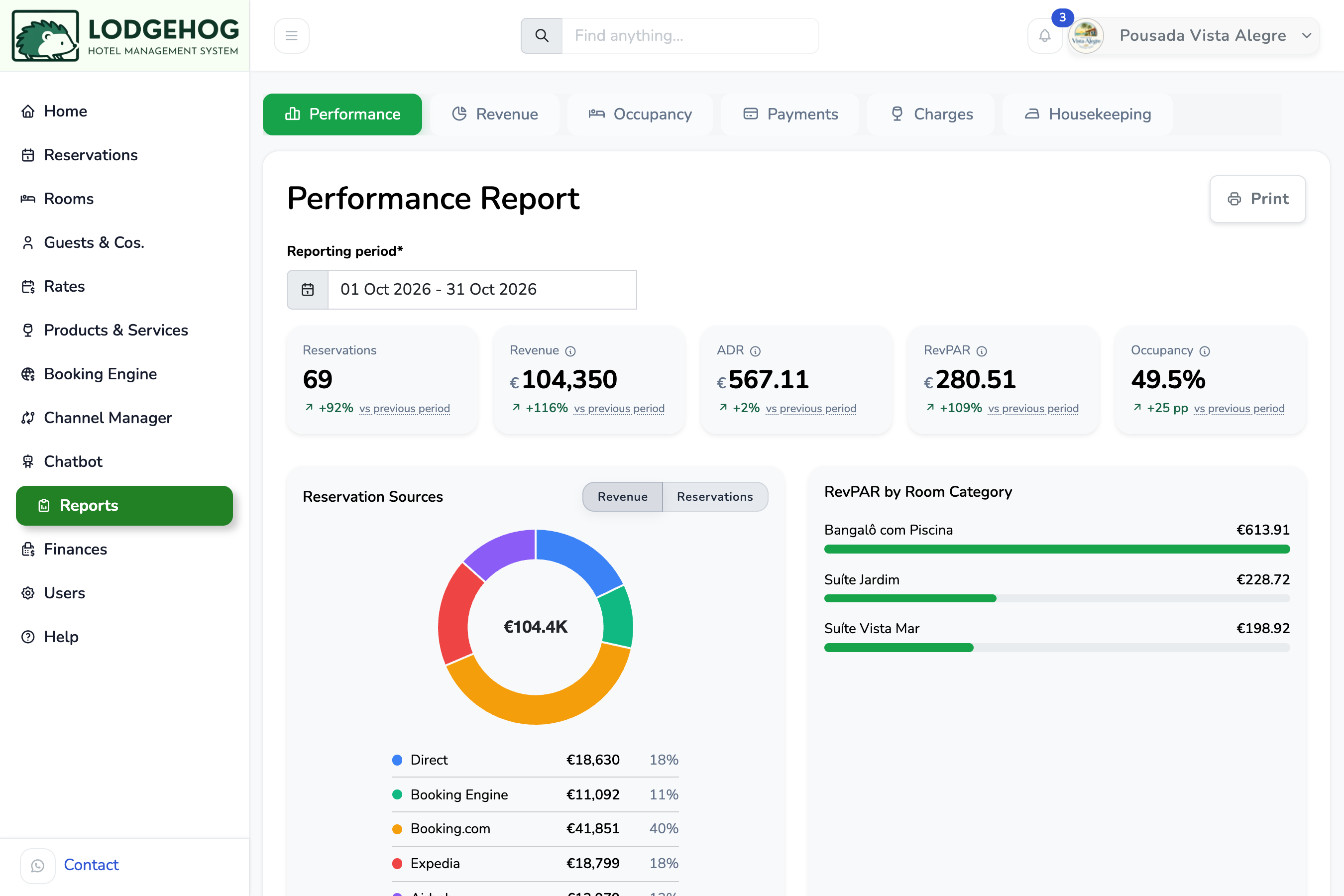
The free plan covers what the spreadsheet did: calendar, rooms, guests and rates, for one user, with no limit on rooms or bookings. Reports and CSV exports, invoices, the API, extra users and support are part of the paid plans, from $9.90/month. So are the optional channel manager, booking engine and AI chatbot.
Yes. Download it, change it however you like and use it for as long as it works for you. There's no sign-up and no email required.
Yes. Upload the .xlsx file to Google Drive and open it with Google Sheets. The formulas, drop-downs and colors all carry over. It also works in Excel and LibreOffice.
Yes. Send us the file after you create your account, whether it's our template or your own layout, and we'll import your rooms and upcoming bookings for you.
The free plan has no time limit and needs no credit card. It includes unlimited rooms, reservations, guests and rate plans. For your first 14 days you also get every paid feature; after that, your account stays on the free plan unless you choose to upgrade.
The free plan has one user. Paid plans include unlimited users, each with their own login and permissions, so you always know who changed a booking.
Yes, on the paid plans. Reports export to CSV, and the API and webhooks can keep a Google Sheet or dashboard updated automatically.
Only if the sites and your calendar stay in sync, which a spreadsheet can't do. That's the job of a channel manager, an optional paid module. Read what a channel manager does to see when it's worth adding.
Create a free account and send us your file. We'll import it. No credit card, no time limit.
Free software with all the essential features:
Sell on Booking.com, Airbnb & 50+ sites
Sell everywhere and on your own site
We believe in price transparency. Use our pricing calculator to estimate your subscription fee.